

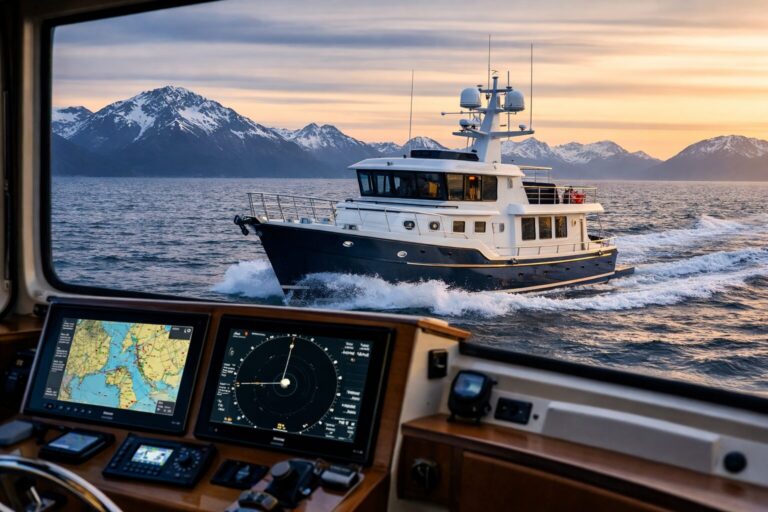
Two identical displays glowing on a pilothouse dash provide comfort, convenience, and ample digital workspace. They do not, however, guarantee a backup. A shared power fault may turn both displays off. A shared sensor or network fault may instead leave screens illuminated while removing or degrading some information.
Evaluating helm reliability requires looking past the physical screens and mapping the invisible architecture behind the joinery. Backup capability depends on what remains usable after the particular failure you are planning for.
Separating Display Duplication from True Independence
Duplicating user interfaces is not the same as engineering redundancy. Modern glass cockpit integration creates clean, uncluttered helms where chart plotting, radar, depth sounding, engine telemetry, and vessel switching converge onto shared glass panels. That consolidation brings great ergonomics during routine cruising, but it also aggregates risk.
To evaluate a backup setup, start with a straightforward question: what specific failure is the secondary system built to survive?
-
A display hardware casualty: If an internal processor fails or a backlight burns out on the main unit, a secondary screen running on the same network can step in and take over display duties. This is the simplest failure mode to solve.
-
A local DC power loss: If a shared circuit breaker trips, an isolator fails, or a subpanel drops offline, every component fed by that common branch dies instantly, regardless of how many screens sit on the dash.
-
A sensor or data bus failure: If a heading sensor locks up, a GPS receiver loses lock, or a corrupted NMEA 2000 tee drops the line voltage, the screens may stay illuminated while the tactical information feeding them vanishes.
-
Network processing crashes: When multi-function displays (MFDs) share cartography, radar feeds, and sonar across high-speed Ethernet, they rely on software arbitration. A software crash on the designated host display can freeze peripheral stations.
Ask which failures the secondary arrangement is intended to survive; a shared-network screen may provide useful display duplication without surviving a power or network failure.
Mapping Common-Mode Dependencies
Common-mode failures occur when independent devices rely on a shared, unnoticed vulnerability. Understanding those dependencies means tracing the relevant power, sensor and data paths with the installer.
Power and Position Inputs
A resilient helm separates power feeds. Powering two MFDs from the same auxiliary house breaker panel creates a shared point of failure at the breaker, negative bus bar, or panel feed. If an owner wants authentic resilience, the secondary display or dedicated backup instrument should draw power from a separate, isolated circuit path—or even possess an internal battery reserve.
Position inputs present a similar blind spot. Many pilothouses feature two large chartplotters receiving coordinates from a single external GNSS antenna mounted on the radar mast. If lightning hits nearby, water penetrates the antenna housing, or the antenna cable pinches behind an access panel, position data disappears across every connected screen.
A genuinely separated arrangement pairs the secondary display with its own independent GPS source. This can be an internal receiver built into the secondary unit, a distinct backup puck mounted elsewhere, or an isolated tablet running self-contained mapping software.
Network and Chart Dependencies
Data networks introduce shared vulnerabilities that are easy to overlook. In networked electronics suites, one unit typically functions as the network coordinator.
Consider modern industry designs: published Raymarine networking constraints highlight that Axiom multi-display networks depend on a designated Ethernet Datamaster to bridge received data to other networked displays. While multiple backbone connections can support Datamaster reassignment if the primary unit drops, that failover requires specific network topologies and software states. Furthermore, Wi-Fi connections on these networks do not stream real-time navigation data between MFDs; high-bandwidth operations require unbroken physical Ethernet cables.
Chart access is another dependency to check. Ask where charts are stored, which units can use them, and what happens if a display or network component becomes unavailable. Confirm the documented fallback arrangement for the exact equipment and chart licenses.
Validating Failover at the Dock
Never accept assumed redundancy without testing it in a controlled environment. The commissioning phase at the dock is the correct place to uncover hidden network dependencies.
Ask the electronics installer to demonstrate documented failover procedures at the dock:
-
Agreed failure cases: Have the installer choose controlled checks under the manufacturer’s procedures and explain what remains available.
-
Recovery tasks: Confirm whether reassignment or other documented steps are required, and let the crew practise those steps in an appropriate setting.
-
Physical service access: Review our 49 Pilothouse equipment and locate the removable headliners, wiring chases and access panels relevant to the actual installation.
Teach the crew how the installed equipment indicates lost, invalid or stale data. The manufacturer’s operating instructions should explain warnings and limitations. Practise recognizing those indications and cross-checking information with independent references.
Balancing Electronics with Watchkeeping Discipline
No electronic architecture—no matter how many isolated networks, backup transducers, and redundant batteries it incorporates—replaces fundamental seamanship.
Under the International and Inland Navigation Rules, Rule 5 mandates that every vessel must at all times maintain a proper lookout by sight and hearing as well as by all available means appropriate in the prevailing circumstances. An enclosed pilothouse provides shelter and comfort during heavy weather, but sweeping glass screens and thermal cameras do not fulfill the requirement for an attentive human watch. Looking out the window, listening for fog signals, and scanning visually for unlit debris remain the primary defenses against collision.
Discuss suitable independent references and backups for your route and crew. Paper charts, a magnetic compass and an appropriate voyage record may contribute, but their usefulness depends on currency, preparation and the crew’s skills. Plan the response to loss of navigation information with qualified instruction.
Local vessel navigation redundancy must also be separated from external ship-to-shore communications. Keeping track of water depth, steering clear of shoals, and monitoring local vessel traffic with AIS are immediate tactical tasks handled entirely on the boat. Communicating outside the vessel—whether via satellite messengers, single-sideband radio, or cellular boosters—serves distinct long-range logistical and emergency functions with its own power and antenna requirements. Assess the shared power and antenna dependencies of both arrangements; separating their purposes does not by itself establish that a failure in one cannot affect the other.
Planning Your Pilothouse Layout
True helm reliability comes from intentional separation: isolated power supplies, independent data paths, physical chart redundancy, and an attentive crew that knows how to steer by compass and eye when digital tools fail.
If you are evaluating helm configurations or planning an offshore cruising build, talk with us to review how our pilothouse designs and equipment layouts can support your passage-making goals.